


Fitness Club and Gym Website Script with Class Schedule (Trial Class Request Form)
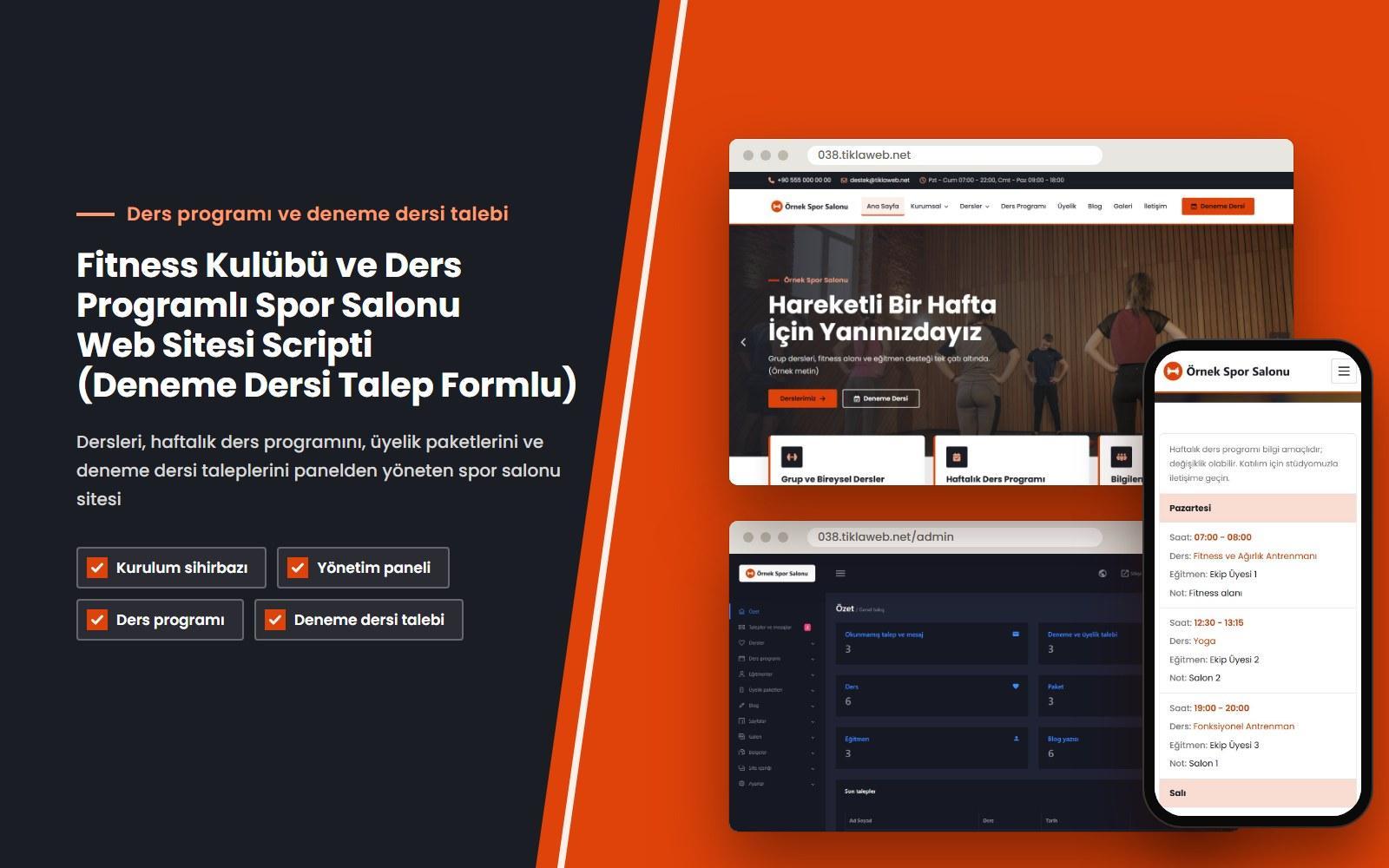
Boutique gym and fitness studio website with classes, instructors, a weekly class schedule, membership packages and a trial class request form, managed from an admin panel

















Language note
The interface of the website and the admin panel comes in Turkish and English. You choose the site language and the panel language separately under “Site ayarları” (Site Settings), and you can also switch the panel language with the globe icon at the top right of the panel.
More languages can be added: copy the en.php file in the dil folder of the package and translate it (the steps are in dil/OKUBENI.txt). The language you add appears automatically in the language lists of the site settings, and updates do not touch your language files. Texts that are not translated appear in English; if you prefer, they can be shown in Turkish.
The content you publish (classes, packages, pages, blog posts and so on) is not translated; it stays in the language you write it in. Form warnings and date formats follow the selected site language; the notification e-mails of the request and contact forms are written in the panel language.
Where this page names a section of the panel or of the site, the name is given as it appears in the Turkish interface, in quotation marks, followed by its translation in parentheses; in the English interface the same sections appear under their English names.
Who it is for
Made for fitness and pilates studios, boutique gyms that offer yoga and group classes, sports clubs, and agencies that build sites for these businesses. On your own domain you describe your classes, introduce your instructors, show your weekly class schedule as a table and display your membership packages for information. A visitor fills in the trial class or membership information request form; the request is listed in your panel, and you call the visitor and agree on the day and time together. The form only collects requests: a confirmed registration, class booking and online payment are not part of the site.
You do not need to know how to code. The browser wizard handles the installation, and you enter your content in the admin panel.
Website features
Home page
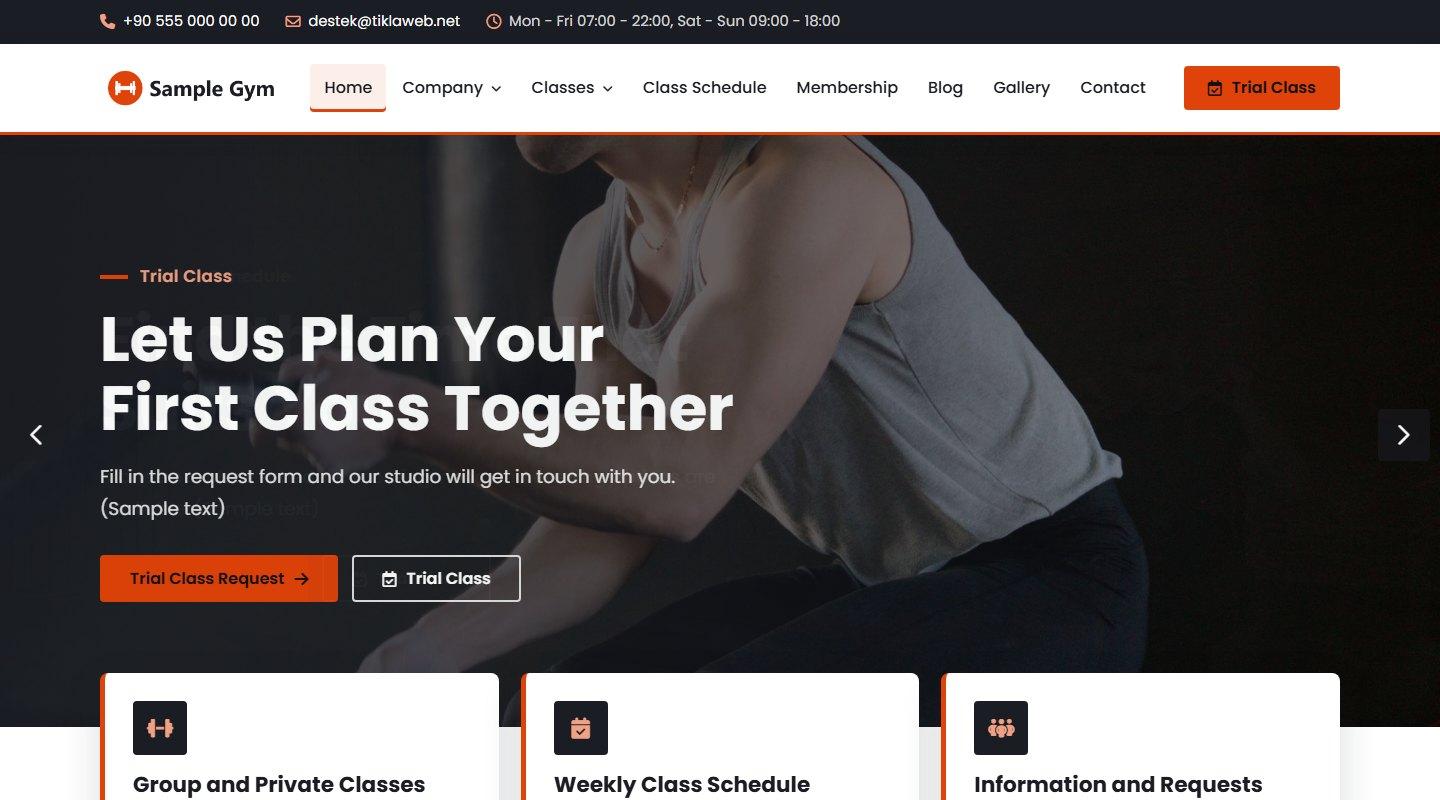
- Welcome slider: up to 6 slides. Each slide has a small top line, a heading, a sub-heading, an optional button and an image; every slide also carries a “Deneme Dersi” (Trial Class) link. For the button link you enter an address inside the site (for example dersler) or a full address. With more than one slide the images change automatically with a soft fade; on devices set to reduce motion, the change is a plain slide and not automatic. A slide without an image is not shown; with no slide at all, the company name and a “Deneme Dersi” (Trial Class) button appear.
- Three highlight boxes: three boxes made of a heading and a short text, placed below the slider. The icons are ready-made; a box whose heading you leave empty does not appear.
- About section: an image, a heading, the beginning of your “Hakkımızda” (About Us) text, a checklist of the names of the first six classes and a button leading to the “Hakkımızda” (About Us) page.
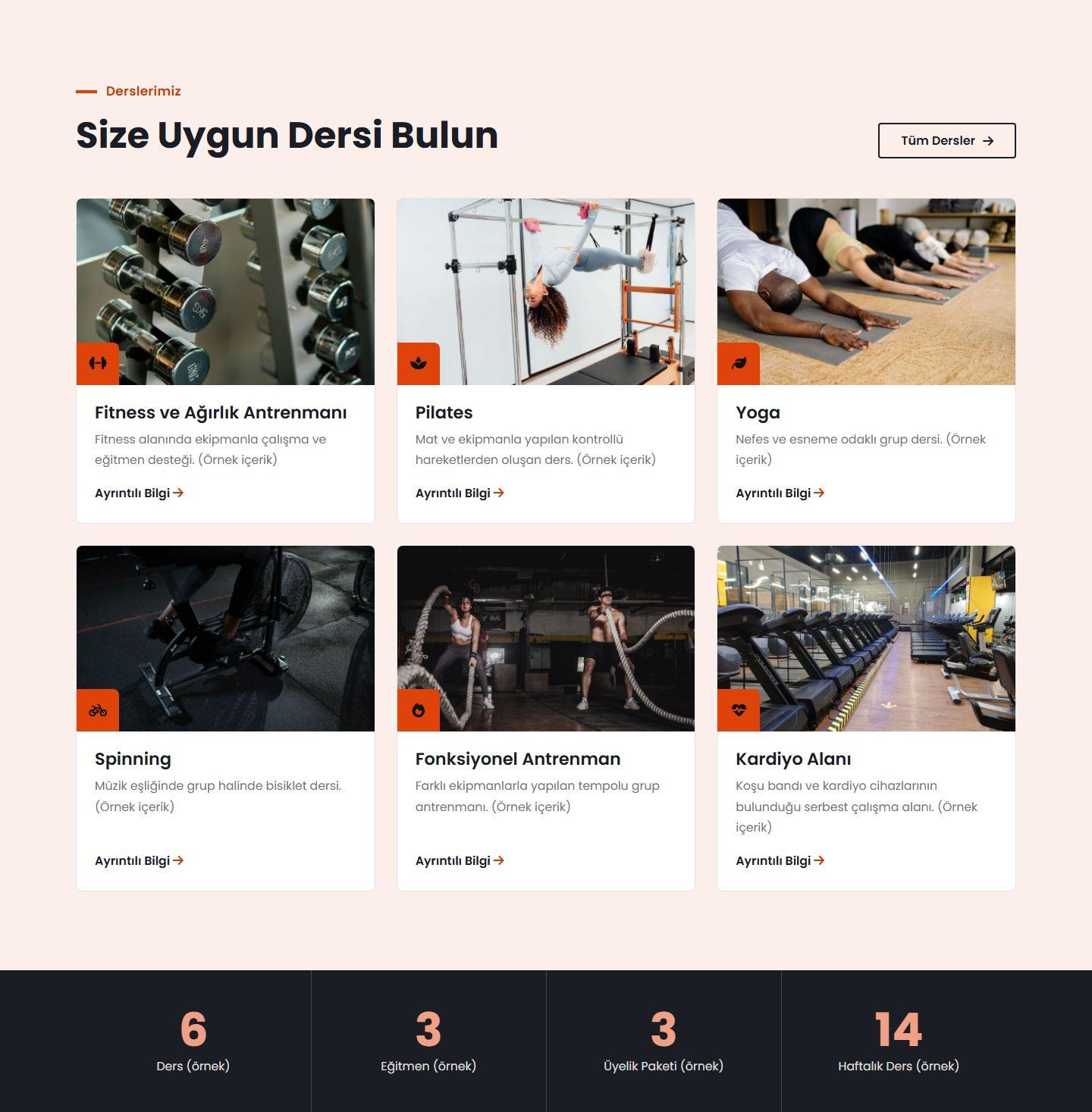
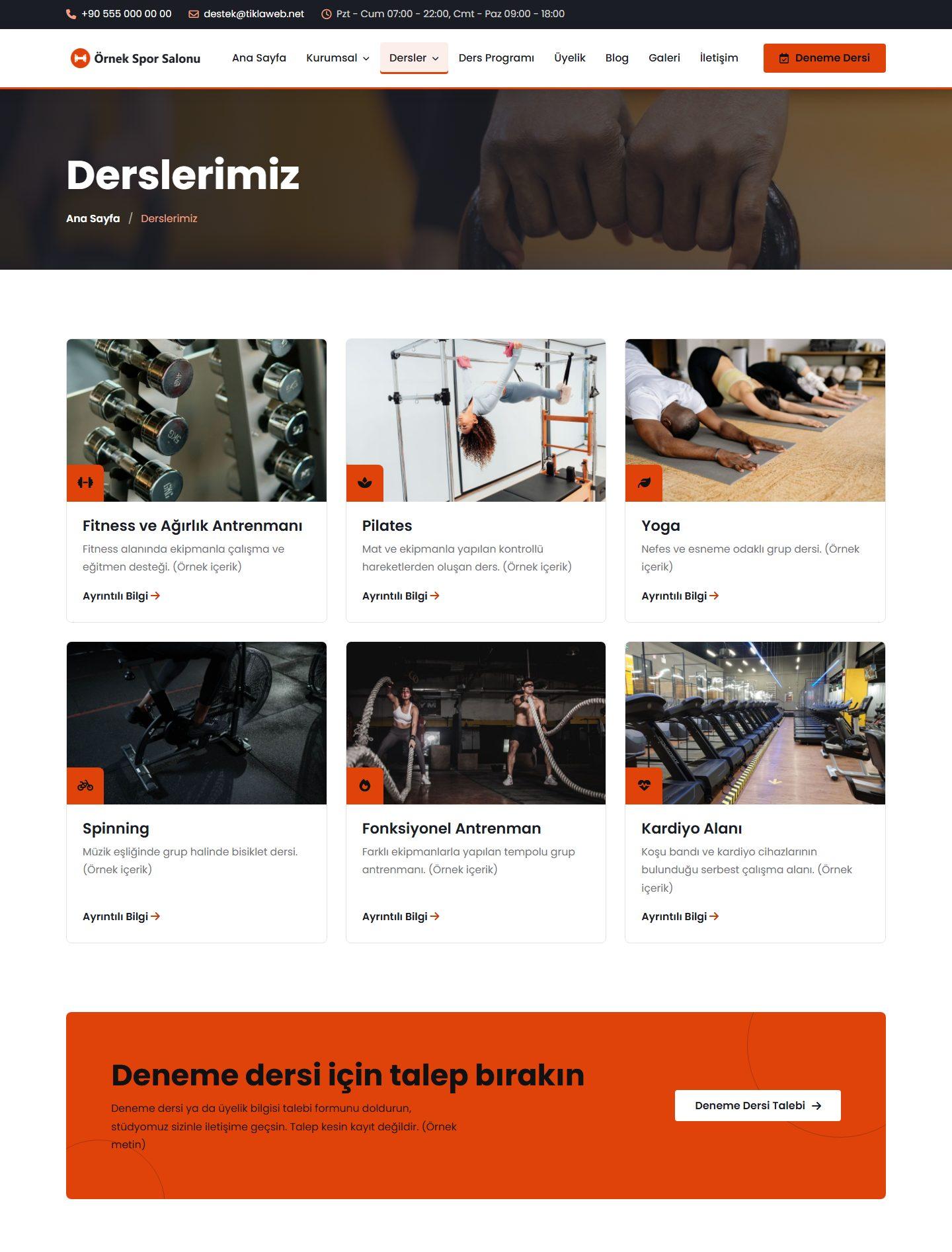
- Classes: the first six classes appear as cards with an icon, an image, the name and a short description; the “Tüm Dersler” (All Classes) button leads to the “Derslerimiz” (Our Classes) page.
- Counters: four counters. You enter the value and the text yourself; when the page comes into view, the numbers appear by counting up. A counter whose value you leave empty does not appear.
- Membership packages: up to four packages appear as cards; a card shows the name, the duration, the price (if you entered one), what the package includes and a “Bilgi Talep Et” (Request Information) button. The “Tüm Paketler” (All Packages) button leads to the “Üyelik Paketleri” (Membership Packages) page.
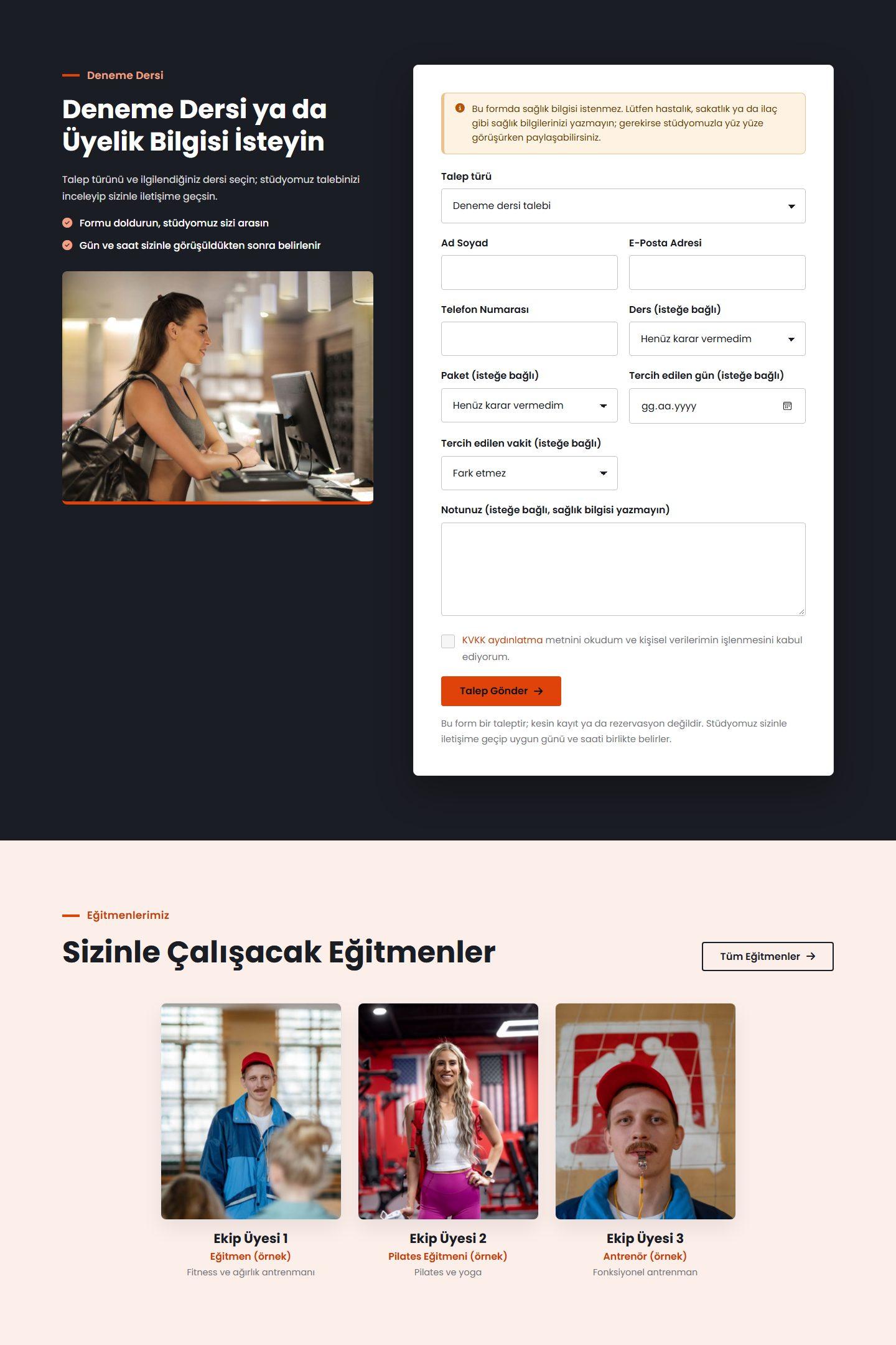
- Request section: in a dark-colored section, a short description and a note that the day and time are set after a conversation are on the left, and the trial class and membership request form is on the right; if you upload an image on the “Site görselleri” (Site Images) page, it appears below the description.
- Instructors: the first four instructors appear as cards; the “Tüm Eğitmenler” (All Instructors) button leads to the “Eğitmenlerimiz” (Our Instructors) page.
- Member reviews: if the “Üye yorumları” (Member reviews) section is switched on, the latest 12 reviews appear in a slider. The section comes switched on after installation.
- Latest posts: the latest three blog posts appear as cards. A section with no entries is not drawn on the home page at all.
- Call banner: you enter a heading and a short text; the banner appears at the end of the home page and of the “Derslerimiz” (Our Classes), “Eğitmenlerimiz” (Our Instructors), “Ders Programı” (Class Schedule), “Üyelik Paketleri” (Membership Packages) and “Hakkımızda” (About Us) pages with a “Deneme Dersi Talebi” (Trial Class Request) button. If you leave the heading empty, the banner does not appear.
Trial class, membership request and contact
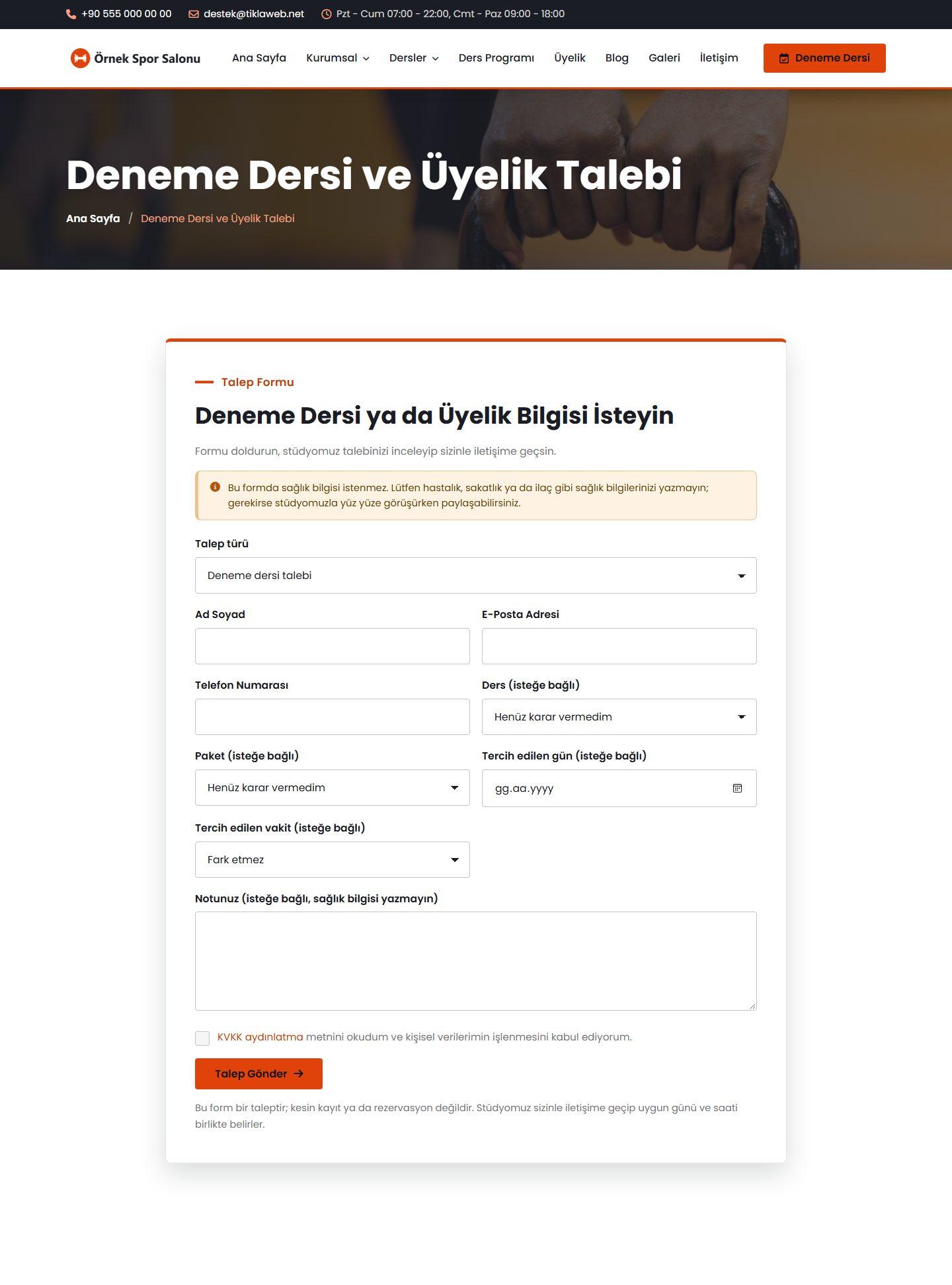
- Trial class and membership request form: found on the home page and on the “Deneme Dersi” (Trial Class) page. Request type (trial class or membership information), full name, e-mail and phone are required. Class (from the classes saved in the panel), package (from the packages saved in the panel), preferred day (today or a later date, at most 12 months ahead), preferred time (morning, afternoon, evening) and a note of at most 500 characters are optional. The top of the form says that no health information is asked and that illness, injury or medication details should not be written. The form has a required KVKK consent checkbox. KVKK is the Turkish personal data protection law. The “Deneme Dersi Talebi” (Trial Class Request) button on every class page opens the form with that class selected, and the “Bilgi Talep Et” (Request Information) button on every package card opens it with that package and the “membership information” type selected. Below the form, the visitor is told that this is not a confirmed registration or booking and that your studio will get in touch and set the day and time together.
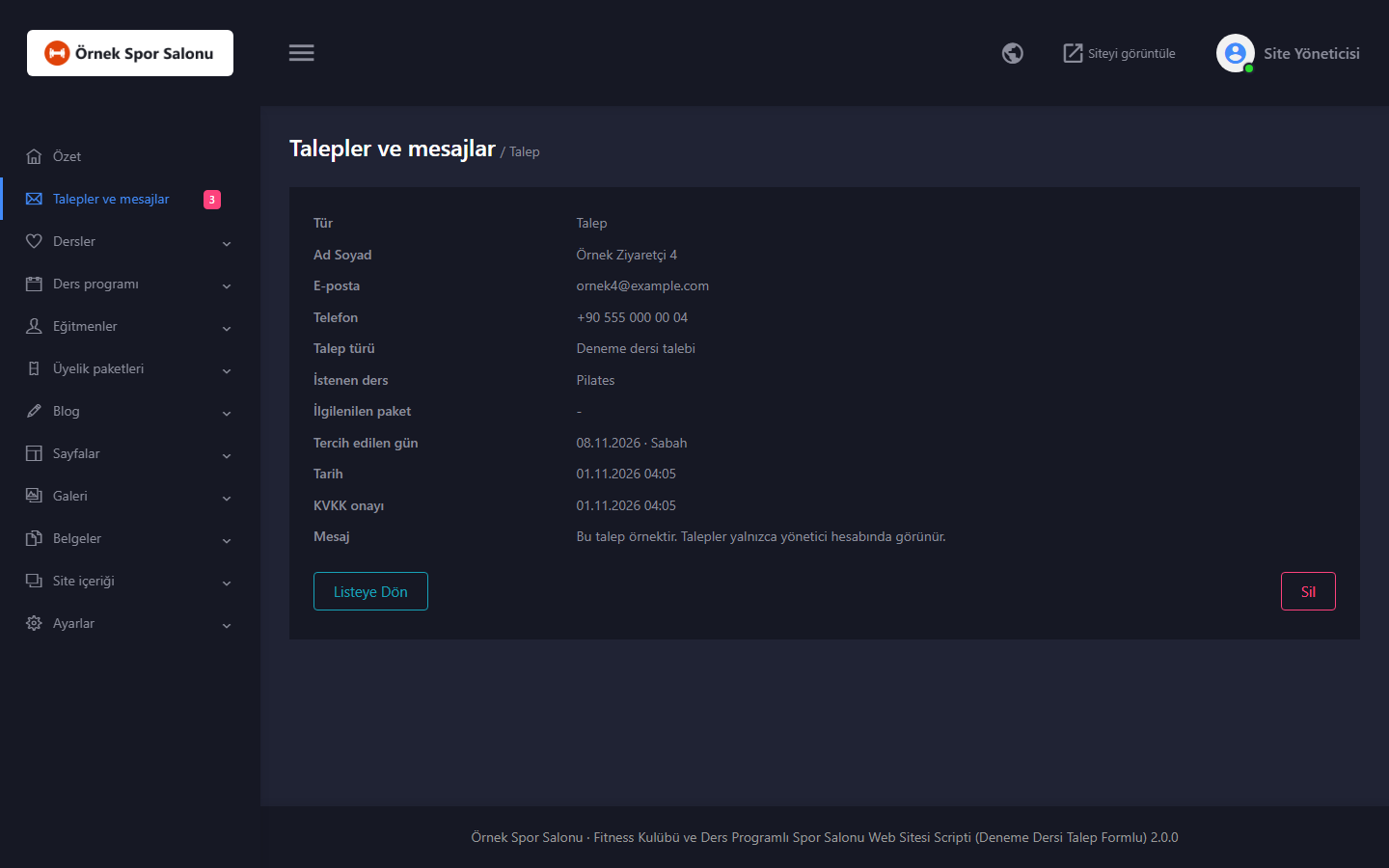
- Requests in the panel: incoming requests are listed in the “Talepler ve mesajlar” (Requests and messages) section of the panel, which only the administrator sees; the list reminds you that health information may have been written in the notes and that you should delete a request when you are done with it. If you set up “E-posta ayarları” (E-mail Settings) and switch notifications on, every request also reaches you by e-mail, and when you reply to the e-mail, the reply goes to the visitor’s address.
- Contact form: full name, e-mail, phone, message title and message text fields (all required) and a KVKK consent checkbox. Incoming messages are listed in the same section.
- Contact page: information boxes with address, e-mail, phone and working hours, a link to the trial class form, and a map (Google Maps or OpenStreetMap embed code). Details and map you leave empty do not appear on the site.
- KVKK consent checkbox: required on the request and contact forms. The privacy notice link points to the page you choose in the panel; the same link also appears in the footer of the site. The text that comes with the sample content is only a sample; because customer details are personal data, you need to prepare your own privacy notice, with a legal adviser if necessary.
Classes, instructors, schedule and packages
- Classes: for each class you enter a name, an icon, a short description, a detailed description, an image and an order. You choose the icon in the panel from a ready-made list of 27 icons such as dumbbell, bicycle, yoga, running and boxing. Classes are listed as cards on the “Derslerimiz” (Our Classes) page and also appear as a drop-down list in the menu. Every class has its own page, the weekly times of that class, a side list of the other classes and a trial class request box. Classes have no price or duration field.
- Instructors: you enter full name, title, field of expertise (optional), photo, status and order. Instructors are shown as cards on the “Eğitmenlerimiz” (Our Instructors) page under the “Kurumsal” (Corporate) menu, on the home page and on the “Hakkımızda” (About Us) page, and appear by name in the class schedule. An instructor without a photo gets a person icon. An instructor whose status is “Taslak” (Draft) does not appear, and the name is not shown in the schedule either. Write only titles and fields of expertise that the person really holds.
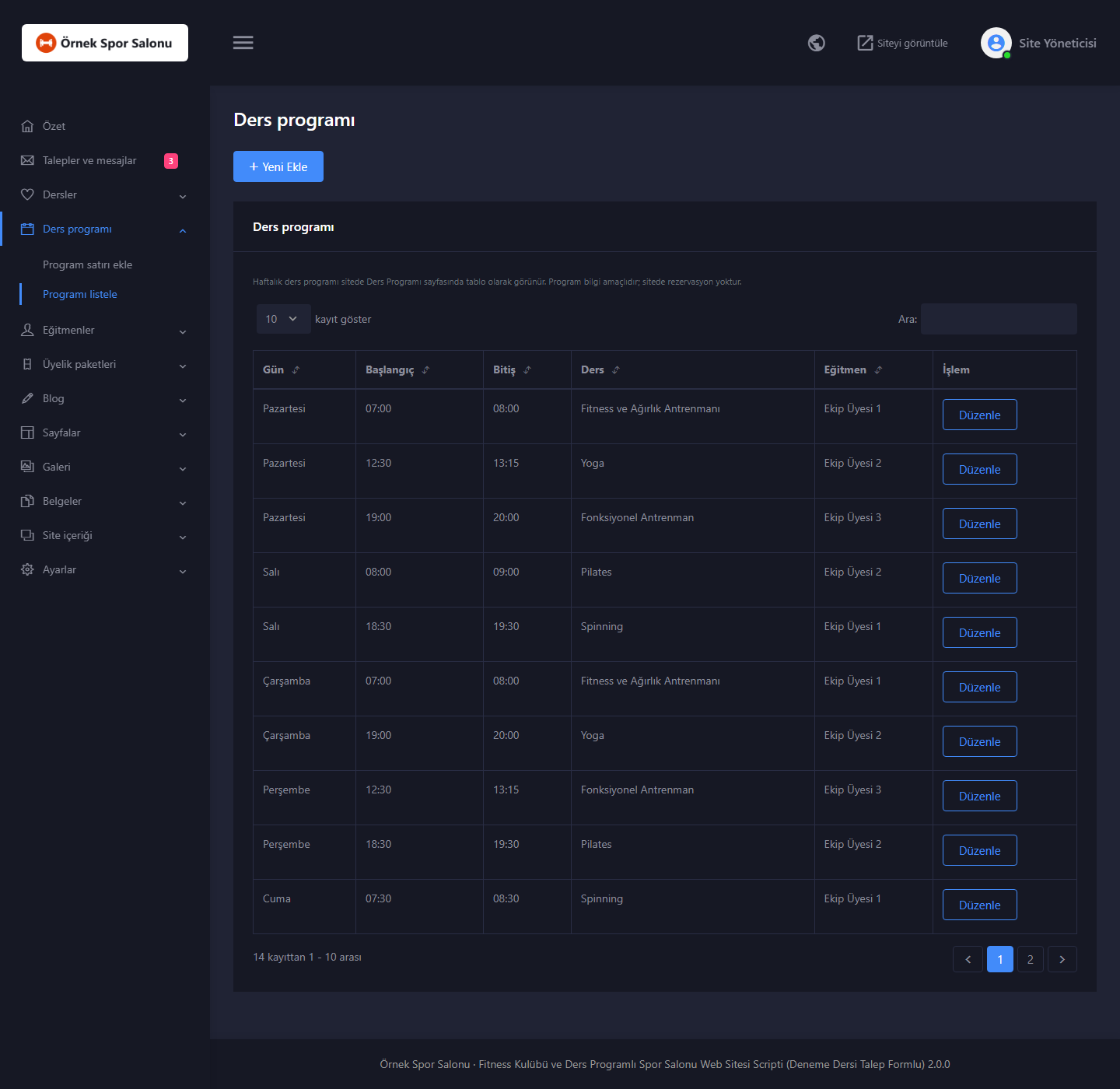
- Class schedule: you add schedule rows in the panel: day (Monday to Sunday), start time, optional end time (times are chosen from a list in 15-minute steps), class, instructor and an optional note (for example the room name). On the “Ders Programı” (Class Schedule) page the rows appear as a table grouped by day; on a narrow screen the rows turn into cards stacked one below the other. Below the table it says that the schedule is for information and may change; there is no booking on the site. Each class page lists only the times of that class.
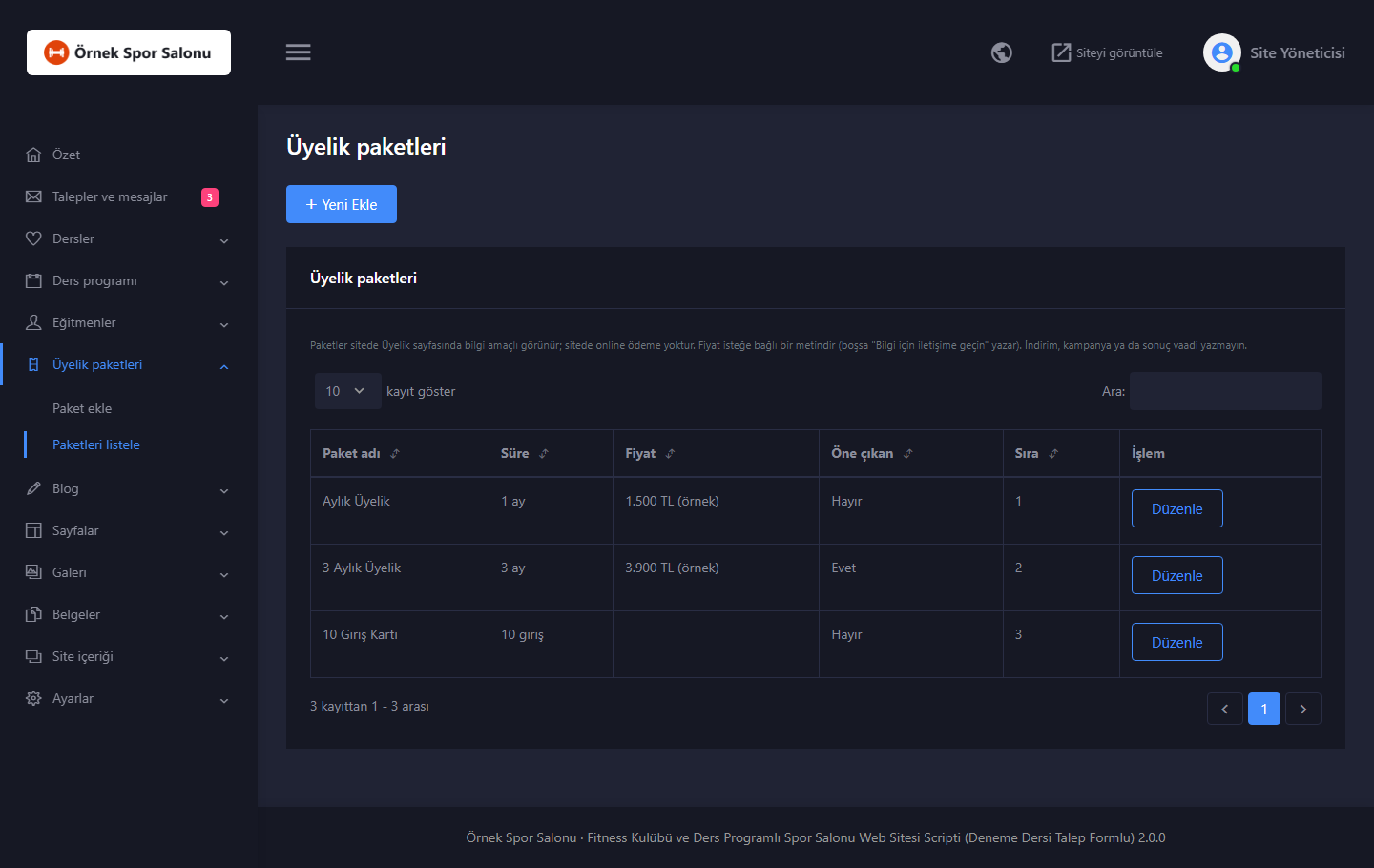
- Membership packages: for each package you enter a name, a duration (for example 1 month, 10 entries), a price (optional free text), what the package includes (one item per line, at most 12), a featured mark and an order. If the price is empty, the card says “Bilgi için iletişime geçin” (Contact us for information). The “Üyelik Paketleri” (Membership Packages) page lists the cards and states that package details and prices are for information and that no online payment is taken on the site.
- Member reviews: you enter full name, the class attended (optional), the review and an optional photo; reviews appear in a slider on the home page. Publish reviews only with the consent of the people who wrote them; in the panel a note reminds you not to add reviews that describe weight loss, slimming or before-and-after results.
Corporate pages, blog and gallery
- “Hakkımızda” (About Us): page heading, text, mission, vision, signature line and an image. A mission or vision part you leave empty does not appear. The page also carries the counters, the instructor cards and the call banner.
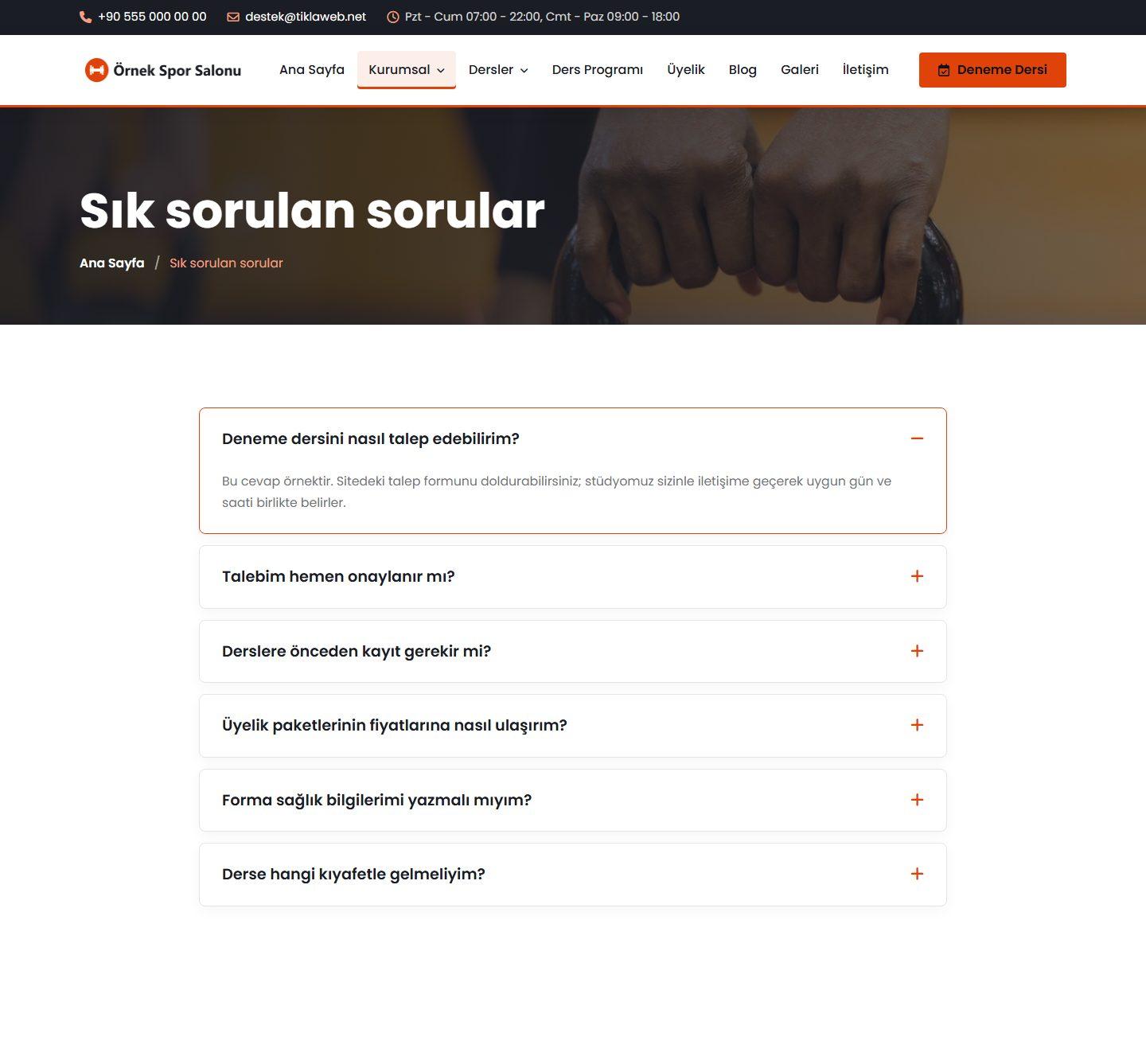
- Frequently asked questions: you enter questions and answers in the panel; the answer opens when the visitor clicks a question. Once at least one question exists, its link appears in the menu under “Kurumsal” (Corporate).
- Documents (PDF): you upload PDF files such as a sample membership agreement or class rules from the panel (at most 10 MB per file). For each document you enter a link text and an order. They are listed on the “Belgeler” (Documents) page with a “PDF indir” (Download PDF) button; when the visitor clicks, the file downloads as a PDF.
- Extra pages: you add as many pages as you like from the panel (for example a privacy policy or the KVKK privacy notice). For each page you choose whether it is shown in the top menu (under “Kurumsal” (Corporate)) and in the footer of the site.
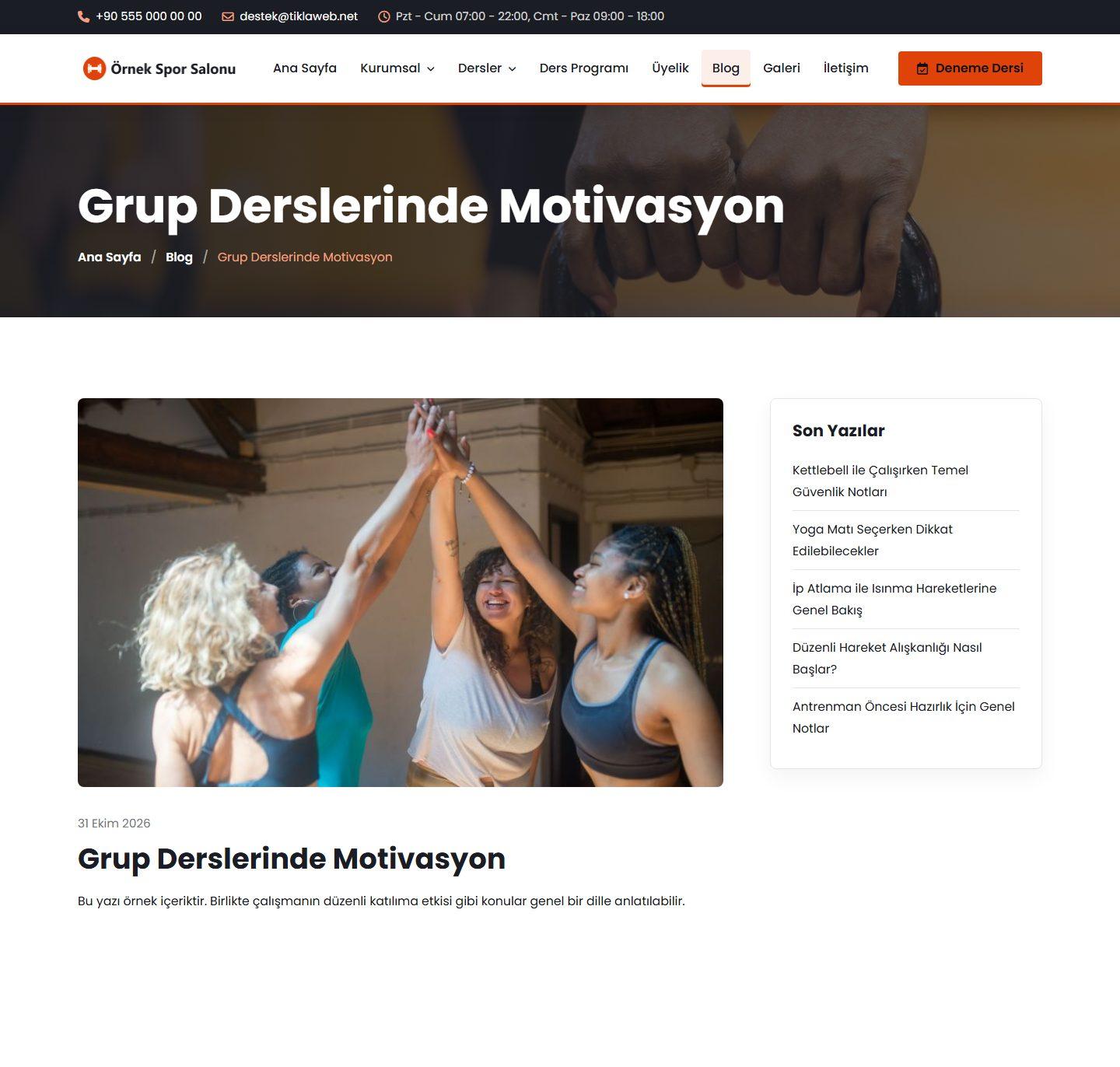
- Blog: posts with a title, a status (Published or Draft), a short description, an image and rich-text content. Posts are paginated with 9 per page; a post page has a side list of the latest posts. A Draft post does not appear on the site. In the panel a note reminds you not to write weight loss or slimming promises, “guaranteed result” claims or before-and-after claims in posts.
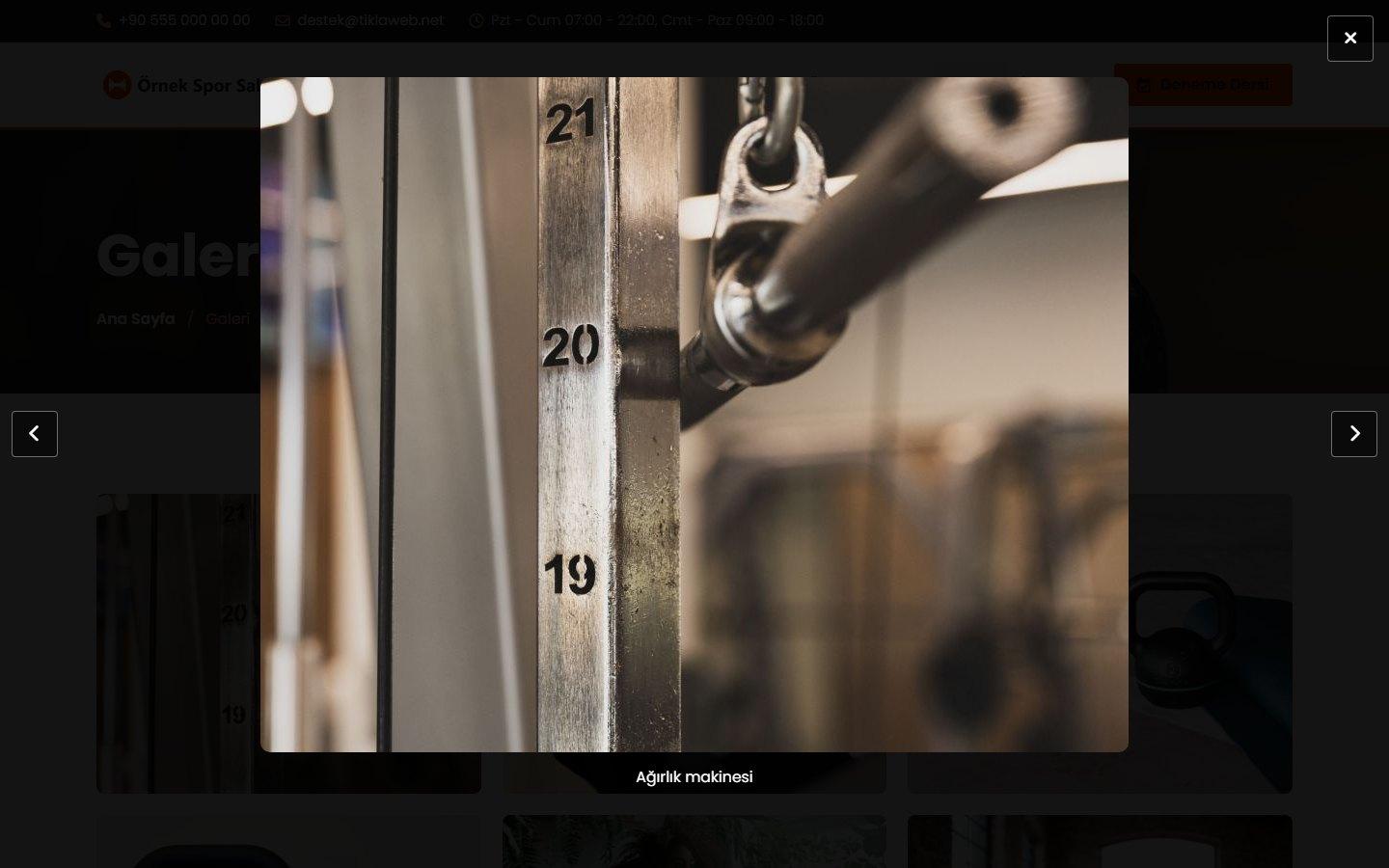
- Gallery: you enter an image title, an image and an order. Clicking an image enlarges it; the previous and next buttons, the arrow keys, the swipe gesture on a phone, the close button and the Esc key all work.
Look, mobile and search engines
- Color: you pick two colors in the panel. The main color is applied to buttons, accents and active items; the dark color is applied to the top information bar and to dark areas such as the footer. The page background is always white. Text colors are chosen automatically, dark or light, according to the main color and the dark color.
- Logo, site icon and images: you upload your logo and your site icon (favicon); if there is no logo, the company name appears as text. The logo is shown on a white background in the header and inside a white box in the footer, so a dark or colored logo that reads well on a light background is suitable. You can upload images for the title band at the top of the inner pages and for the request section on the home page; if you do not upload a title band image, a plain colored band appears.
- Top bar, menu and footer: the dark top bar shows the phone number, e-mail, working hours and social media icons (it is hidden on phone screens); the menu has a “Deneme Dersi” (Trial Class) button and, if you entered it, a WhatsApp icon. The footer shows your short introduction text, your contact details (address, phone, e-mail, working hours), links, the first six classes and the copyright line. Details you do not enter are not drawn.
- Social media: your Facebook, X (Twitter), Instagram, LinkedIn and YouTube links appear as icons; an icon you do not fill in is not drawn. If you enter your WhatsApp number, a WhatsApp icon appears in the menu.
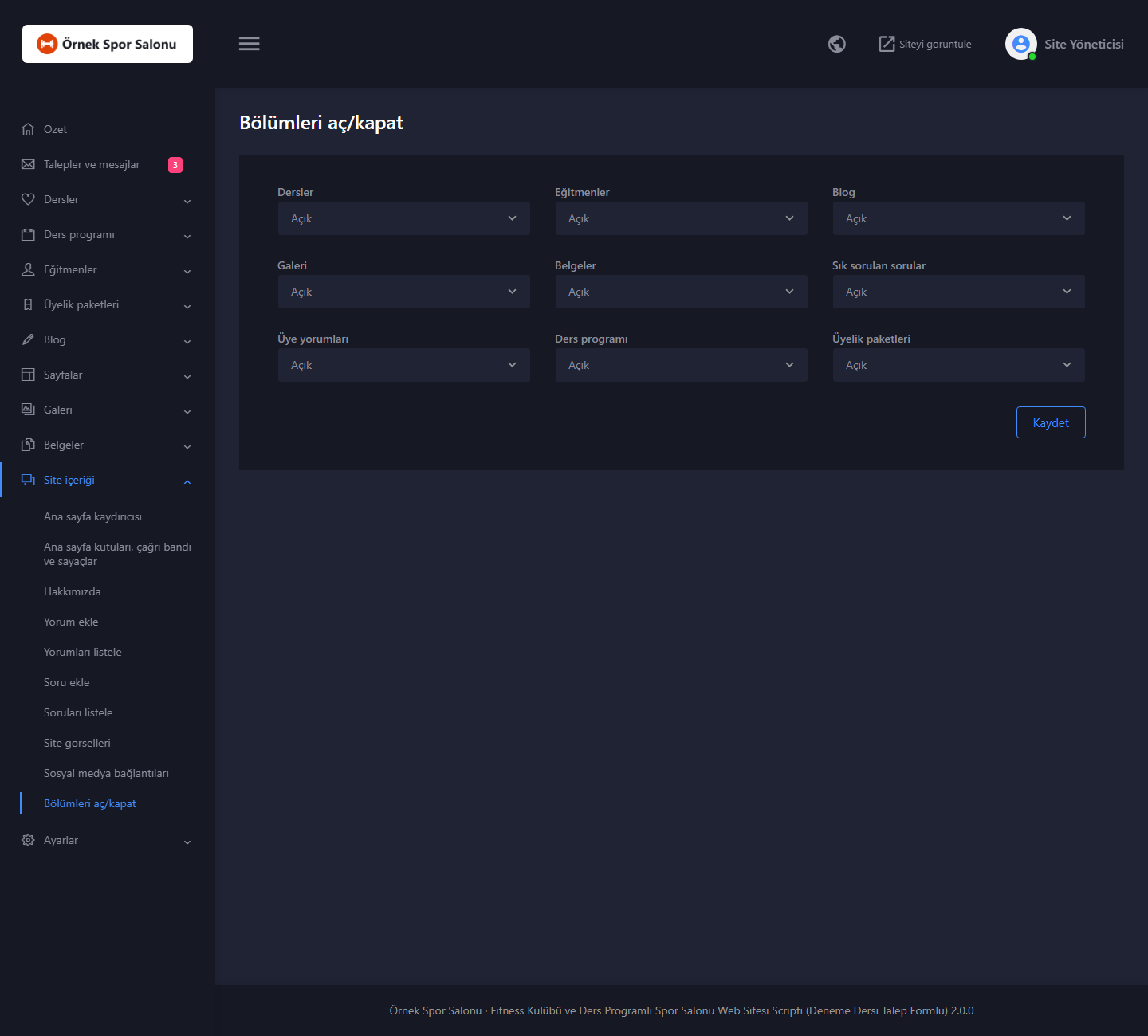
- Switch sections on/off: from a single page you switch the Classes, Instructors, Blog, Gallery, Documents, Frequently asked questions, Member reviews, Class schedule and Membership packages sections on or off. A section you switch off disappears from the menu and the home page, and its page address does not open either. The menu link of a section with no entries does not appear either.
- Mobile friendly: on small screens the menu turns into a mobile menu that opens on tap; the page layout adapts to the screen width.
- Page-specific title and description: every page carries its own title (“Page | Company”), description and social sharing (Open Graph) tags. On class and blog post pages the sharing image comes from the content’s own image. You enter the site title, description and keywords in the “Site ayarları” (Site Settings) page.
- Footer credit: you can change or remove the “TiklaWeb tarafından geliştirildi” (Developed by TiklaWeb) line at the bottom of the site.
- 404 page: for an address that does not exist, a switched-off section and an article that is not published, an error page with a button back to the home page is shown.
Admin panel
- “Özet” (Summary): for the administrator, the numbers of unread requests and messages, trial class and membership requests, classes, instructors, membership packages and published blog posts, plus the latest five requests and the latest five messages. The side menu shows the number of unread records as a badge.
- “Talepler ve mesajlar” (Requests and messages): the administrator sees trial class and membership requests and contact messages in one list and tells them apart by type. A request shows name, e-mail, phone, request type, requested class, package of interest, preferred day and time, the time of the KVKK consent and the note; a message shows subject and text. Unread records are marked, and you can delete records. An editor account sees only the contact messages.
- Classes, instructors, class schedule and packages: you add, edit and delete entries. The lists have search and sorting; above the Classes, Blog, Reviews and Membership packages lists there are notes reminding you not to write weight loss or slimming promises, outcome promises or before-and-after claims. A class or instructor you delete leaves its schedule rows empty without an error.
- Blog, pages, gallery and documents: you manage the posts, the extra pages, the gallery images and the PDF documents.
- Site content: “Ana sayfa kaydırıcısı” (Home Page Slider), “Ana sayfa kutuları, çağrı bandı ve sayaçlar” (Home page boxes, call-to-action band and counters), “Hakkımızda” (About Us), “Yorumlar” (Reviews), “Sık sorulan sorular” (Frequently Asked Questions), “Site görselleri” (Site Images), “Sosyal medya bağlantıları” (Social Media Links) and “Bölümleri aç/kapat” (Switch Sections On/Off). The Summernote editor is used in rich text fields.
- E-mail settings: once you enter your SMTP details and switch notifications on, the request and contact e-mails work. You test the settings with the “Deneme e-postası gönder” (Send test e-mail) button.
- “Site ayarları” (Site Settings): site title, company name, description and keywords, phone, WhatsApp number, e-mail, address, working hours, the short introduction text shown in the footer, copyright line, main color, dark color, KVKK privacy page, map, logo, site icon, site language and panel language.
- Users and permissions: you add administrator and editor accounts. The editor manages the content sections and the contact messages; trial class and membership requests, “Site ayarları” (Site Settings), “E-posta ayarları” (E-mail Settings) and “Kullanıcılar” (Users) are open only to the administrator. Permissions are checked on the server. Every user changes their own name and password on the “Profil ve şifre” (Profile and Password) page.
- Forgot password: the link on the panel login page resets the password by e-mail (if “E-posta ayarları” (E-mail Settings) is set up). The reset link is valid for 1 hour and can be used once.
- Custom code: under “Site ayarları” (Site Settings) you add your own code (for example a statistics script) to the top and bottom of the site. These fields are open only to the administrator.
Setup and updates
- Five-step setup wizard: requirements, license, database, site and administrator details, finish. The wizard checks your server itself.
- Setup language: in the wizard, choose Turkish or English at the top right. With an English installation, the starting and sample content is in English too.
- Sample content or empty setup: start filled in like the demo and edit from there, or enter your content from scratch. The request and message list starts empty in both cases; the class schedule and the packages come filled in with the sample content.
- Update from the panel: download the zip package of the new version from your tiklaweb.net customer area and upload it on the “Güncelleme ve lisans” (Updates and License) page of the admin panel. Files and database are backed up first. If an error occurs, the site returns to its previous state. Your uploaded images and PDF documents, settings and content are kept.
- Verified packages: the signature of the update package is checked; only packages downloaded from tiklaweb.net are installed.
A detailed setup guide comes in the package you download as the KURULUM.html file. The guide contains the rules that come ready for Apache and LiteSpeed, and the rules you need to add for Nginx and IIS.
License
Each license is for the single domain name you specify when ordering. A domain name change is a paid service and is handled through a support request. The license cannot be transferred free of charge. The site does not open on an unlicensed domain and the visitor is redirected to a license warning page. A separate license is required to use it on another domain.
Technical details
- PHP 8.2 or higher, MySQL or MariaDB
- Framework: PHP (PDO), its own router and Twig 3 templates. Page addresses are readable (for example /dersler/3-yoga); this needs URL rewriting on the server. On Apache and LiteSpeed the .htaccess file that comes in the package does this; for Nginx and IIS the rules are in the KURULUM.html file
- Site: Swiper and Font Awesome Free 6; the Poppins font comes with the package and is not loaded from an external server. Panel: DataTables and the Summernote content editor
- E-mail is sent with PHPMailer 6.9; the SMTP password is stored encrypted. A form entry is saved to the database first; if the server supports it, the e-mail is sent after the visitor has received the response
- Interface texts are kept in the language files in the package (Turkish and English included, a new language can be added)
- Signed form token, a hidden trap field and a limit of 8 submissions per IP in 10 minutes on the request and contact forms; in a request the request type can only be “trial class” or “membership information”, the class and package names are accepted only from the names saved in the panel, the note is at most 500 characters, the date is verified on the server and a past day cannot be chosen
- CSRF verification on panel actions; a temporary block after 5 failed attempts in 15 minutes at the panel login, and the session closes after 2 hours of inactivity; in the class schedule rows the day and time are chosen from a ready list in the panel and free text is not accepted
- Requests may contain personal data, so in the panel only the administrator account sees, reads and deletes them; they are not shown to an editor account
- The type of images uploaded from the panel is verified from content (JPG, PNG, WebP; at most 8 MB) and, if the GD extension is on, they are converted to WebP; PHP does not run in the upload folder
- A PDF document is accepted only if it carries the PDF signature and an end-of-file marker (at most 10 MB). The documents folder cannot be accessed directly; the file is downloaded as an attachment through the site
- The panel’s rich text fields are filtered on the server when saved (HTMLPurifier); the admin panel sends a Content Security Policy (CSP) header; administrator passwords are stored hashed
- The map area accepts only Google Maps and OpenStreetMap embed addresses
- Database details and backups are kept in a folder outside the web root if your hosting allows it
- A security audit made of code review and live attack tests was carried out before sale
Demo
Explore the site and admin panel in the read-only demo. The demo is installed in Turkish; in the admin panel you can switch the panel language to English with the globe icon at the top right. The company name (“Örnek Spor Salonu” (Sample Gym)), classes, instructors, class schedule rows, membership packages and prices, member reviews, gallery images, PDF documents and the counter values on the home page in the demo are samples (the counter labels end with “(örnek)”, meaning sample). In the demo panel you see a few sample records in the “Talepler ve mesajlar” (Requests and messages) list. WhatsApp, social media links and the map are left empty in the demo; once you fill them in the panel, they appear on the site.
- Site: https://038.tiklaweb.net
- Admin panel: https://038.tiklaweb.net/admin/
- Demo e-mail: demo@tiklaweb.net
- Demo password: demo1234
Changes cannot be saved in the demo; the trial class and membership request and contact forms do not save records or send e-mails. The demo is reset every night. Sensitive pages such as e-mail settings, users and password forms cannot be viewed in demo mode, and “Forgot password” is switched off in the demo. These login details are for the demo site only. In the installation you purchase, you set the administrator account yourself.
Support
If you get stuck, open a support ticket from your tiklaweb.net customer area or write to destek@tiklaweb.net.
- Step 1, preparation: On your hosting, set the PHP version to 8.2 or higher and create an empty MySQL/MariaDB database and user.
- Step 2, files: Upload the contents of the public_html folder in the package you downloaded (including the hidden .htaccess file) to the publishing folder of your domain.
- Step 3, wizard: Open your domain in the browser. The setup wizard starts automatically; you can choose Turkish or English with the links at the top of the page.
- Step 4, installation: Follow the steps of the wizard: requirements, license, database details, site and administrator details. Choose sample content or an empty setup.
- Step 5, panel: Log in at yourdomain.com/admin/ with your administrator account and fill in the “Site ayarları” (Site Settings), KVKK page, “Dersler” (Classes), Class schedule, “Eğitmenler” (Instructors), “Üyelik paketleri” (Membership packages) and “E-posta ayarları” (E-mail Settings) sections.
The detailed setup guide comes in the package you download as KURULUM.html. If you use Nginx or IIS, the required server rules are in this guide too.
2.0.0 — First release for sale
First release of the Fitness Club and Gym Website script with Class Schedule.
Added
- Browser setup wizard (requirement check, license, database, site and administrator steps).
- Option to install with sample content or empty.
- Turkish and English interface for the site, the admin panel and the setup wizard; language selection under “Site ayarları” (Site Settings); adding a new language by copying the language file.
- Domain-bound license; the site does not open on an unlicensed domain.
- Update from the panel with a zip: automatic backup, return to the previous version on error, content, PDF documents and added language files preserved.
- Welcome slider, three highlight boxes, about section, classes, counters, membership packages, request form, instructors, member reviews, latest posts and call banner on the home page; all managed from the panel.
- Trial class and membership request form (request type, class, package, preferred day and time), a request with the class or package preselected and the “Talepler ve mesajlar” (Requests and messages) section in the panel; requests are open only to the administrator.
- Classes (icon selection from the panel) and instructors; each class with its own page and weekly times.
- Weekly class schedule table (day and time chosen in the panel) and membership packages for information.
- “Hakkımızda” (About Us), member reviews, frequently asked questions and extra pages.
- Blog, gallery with image enlargement (previous and next buttons, arrow keys) and PDF document download.
- Switching sections on and off, and the logo, site icon, title band and request section images uploaded from the panel.
- Request and contact forms with a KVKK consent checkbox; privacy notice link; a “no health information is asked” warning on the request form.
- Choice of a main color and a dark color from the panel; text colors are chosen automatically.
- Changing or removing the footer credit from the panel.
- Forgot password: reset link by e-mail, valid for 1 hour and usable once.
- Administrator and editor user permissions.
Fixes
- Invalid class, page and post addresses and posts that are not published show the 404 page instead of an error.
- The page of a section you switch off does not open by its address either.
- Image, social media, map, working hours, price and counter fields left empty are not drawn on the site.
Security
- Signed token and attempt limit on the request and contact forms; CSRF verification, attempt limits and permission checks on panel actions.
- Requests are shown only to the administrator account.
- The type of images uploaded to the panel is verified from content; PDF documents are checked for the PDF signature and an end-of-file marker.
- The panel’s rich text fields are filtered when saved, and a Content Security Policy was added to the panel.
- Administrator passwords are stored hashed and the SMTP password is stored encrypted.
The setup guide is the KURULUM.html file inside the package.
Fitness Club and Gym Website Script with Class Schedule (Trial Class Request Form)
Sports & Fitness- A ready-made site for boutique gyms. Classes, instructors, class schedule, membership packages, trial class request. Wizard setup, managed from a panel.
| Released | 5 November 2026 |
|---|---|
| Last Update | 5 November 2026 |
| Version | 2.0.0 |
| Built With | PHP 8.2+, MySQL/MariaDB, PHP (PDO), Twig 3, Swiper, Font Awesome 6, Summernote, PHPMailer |
| Pages Included | 15 ready-made sections |
| License | 1 domain, lifetime use |
| Updates | Included while active |
- PHP 8.2 or higher
- PHP extensions: pdo_mysql, mbstring, openssl, curl, zip, fileinfo, json, sodium, ctype (gd recommended)
- MySQL or MariaDB: a new, empty database. Enter localhost in the database server field.
- A domain name and an SSL certificate are recommended.
- Apache or LiteSpeed hosting; .htaccess and mod_rewrite support. On Nginx and IIS, the rules in the guide must be added.
- Writable folders: tiklaweb, uploads
- For the request and contact form e-mails, the SMTP details provided by your hosting company (entered on the E-mail settings page)
- The site and the admin panel come in Turkish and English, and a new language can be added. The setup guide (KURULUM.html) is in Turkish.
Other Products
Browse All Products
Home Appliance Repair Service Website Script
Car Wash & Auto Care Website Script
Gym & Fitness Website Script
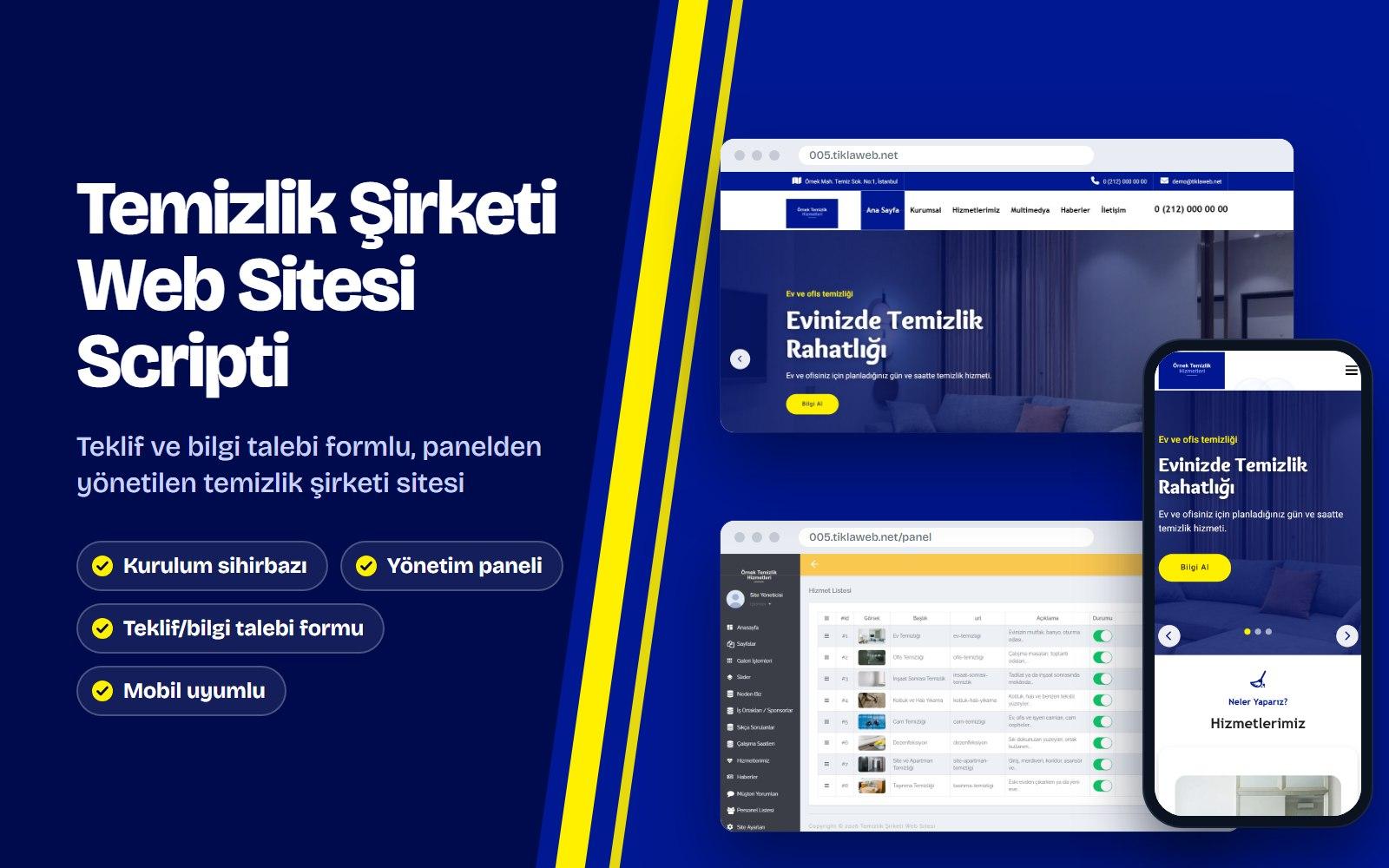
Cleaning Company Website Script
Reach Sales & Support
Have a question before you buy, or need help with an existing account? Call or email us.