


Webmail login: access your email from your browser
You can read and send email for the mailboxes created with your hosting plan directly in your browser, without installing any software.
Webmail address
- Address: https://sv1.tiklaweb.com.tr:8090/webmail/login
- Shortcut: tiklaweb.com.tr/webmail
This information applies to TıklaWeb hosting plans. If you use a separately purchased email plan, use the address in your activation email.
1. Sign in
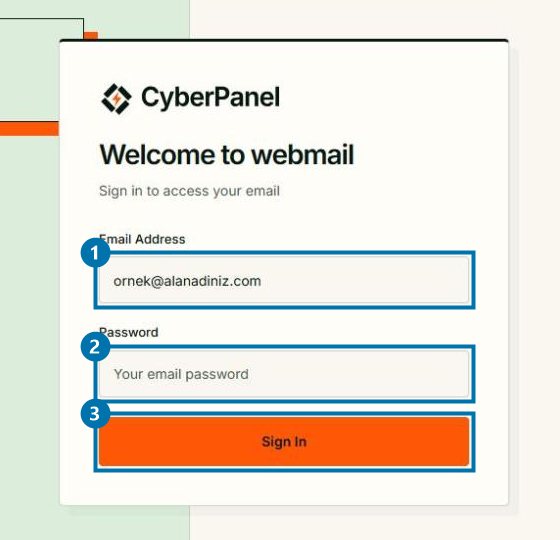
- Email Address: your full email address (for example info@yourdomain.com).
- Password: the mailbox password, not your control panel password.
- Click Sign In.
2. Inbox
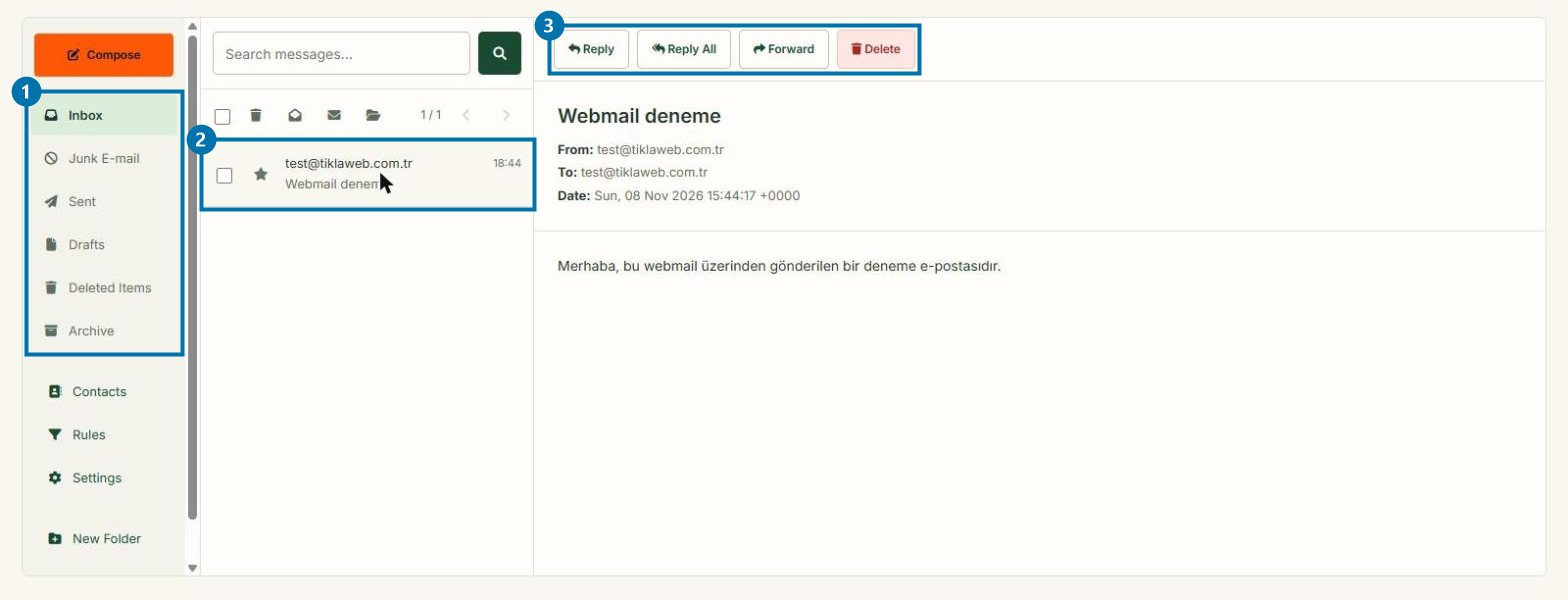
- Folders: Inbox, Junk E-mail, Sent, Drafts, Deleted Items, Archive.
- Click a message to open it on the right.
- Reply, Reply All, Forward, Delete.
3. Send a new email
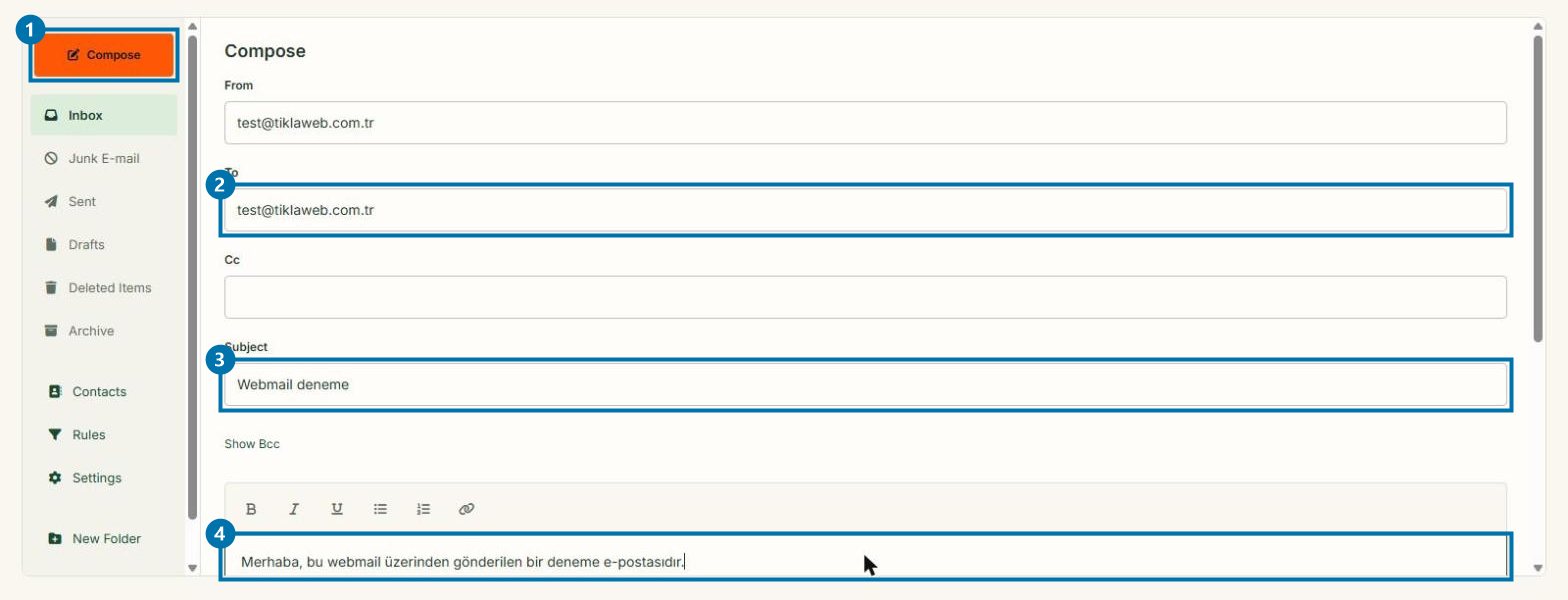
- Click Compose.
- To: enter the recipient's address.
- Subject: enter a subject.
- Write your message and click Send at the bottom of the page.
Good to know
- Each mailbox has a 1 GB quota (plus 100 MB for Deleted Items). When it is full, new messages cannot be delivered; delete old messages and empty Deleted Items.
- To add your mailbox to a phone or Outlook, see: Adding email to your phone and Outlook (IMAP/SMTP).
- If you forgot the password, reset it in the control panel under Email → Change Password, or open a support ticket.
Was this helpful?
Thanks for your feedback!